Alpha release 0.5.1 · based on Ubuntu
Install. Detect. Run AI.
Noctra OS is an AI development workstation OS. It gives you a familiar desktop, helps you set up local AI when you want it, and puts AI coding assistants one click from the Start button.
What is Noctra OS?
A development workstation with AI within reach.
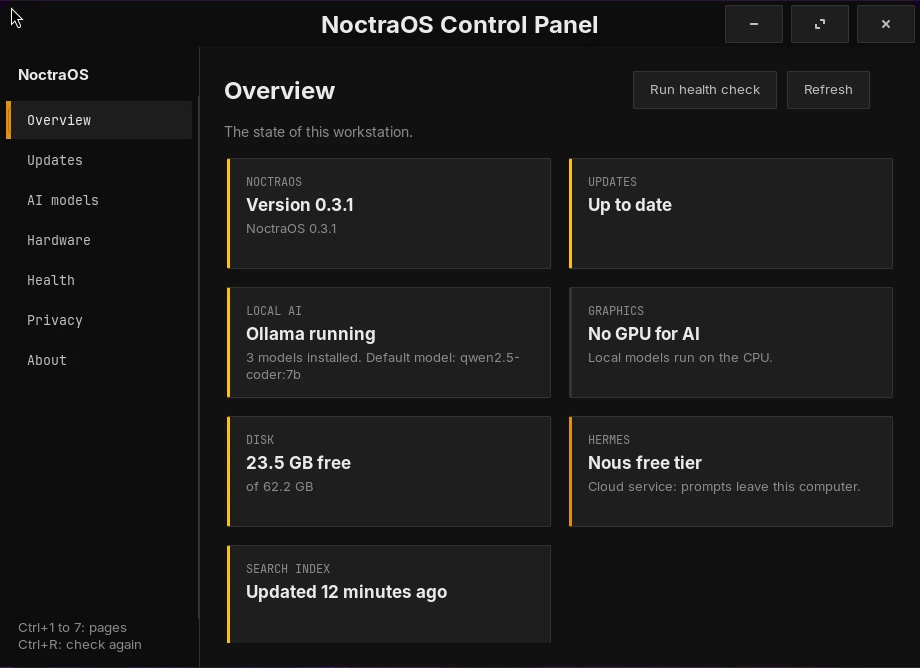
Noctra OS is based on Ubuntu, with a Start button, a dock, window buttons and a task manager. The first setup installs the desktop, assistants and coding tools. Local AI and your personal accounts remain your choice. The Control Panel explains each optional step before it changes anything.

Find anything with Super + Space
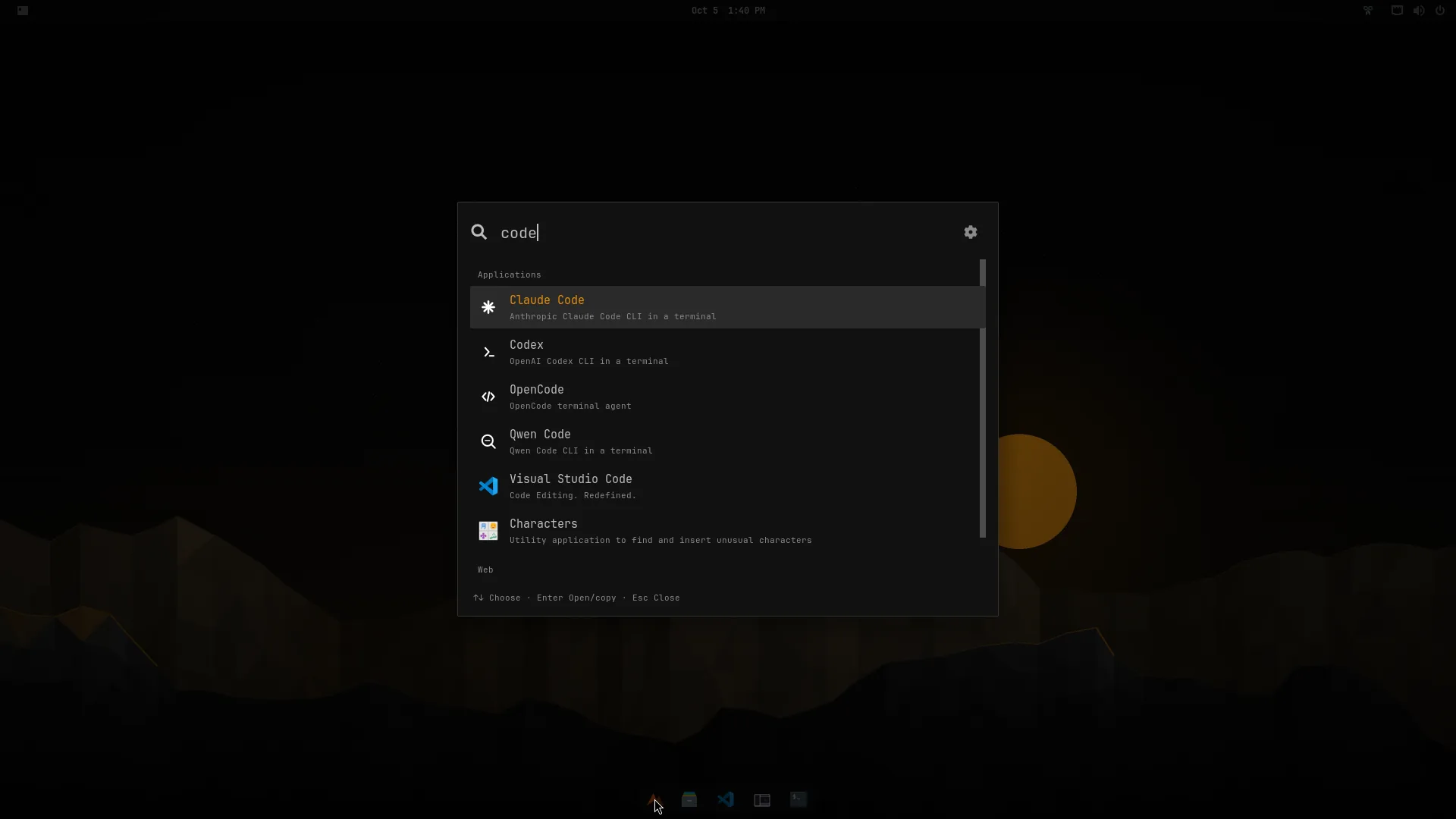
One shortcut searches your apps, files, clipboard history and the web from a single box.

AI assistants one click away
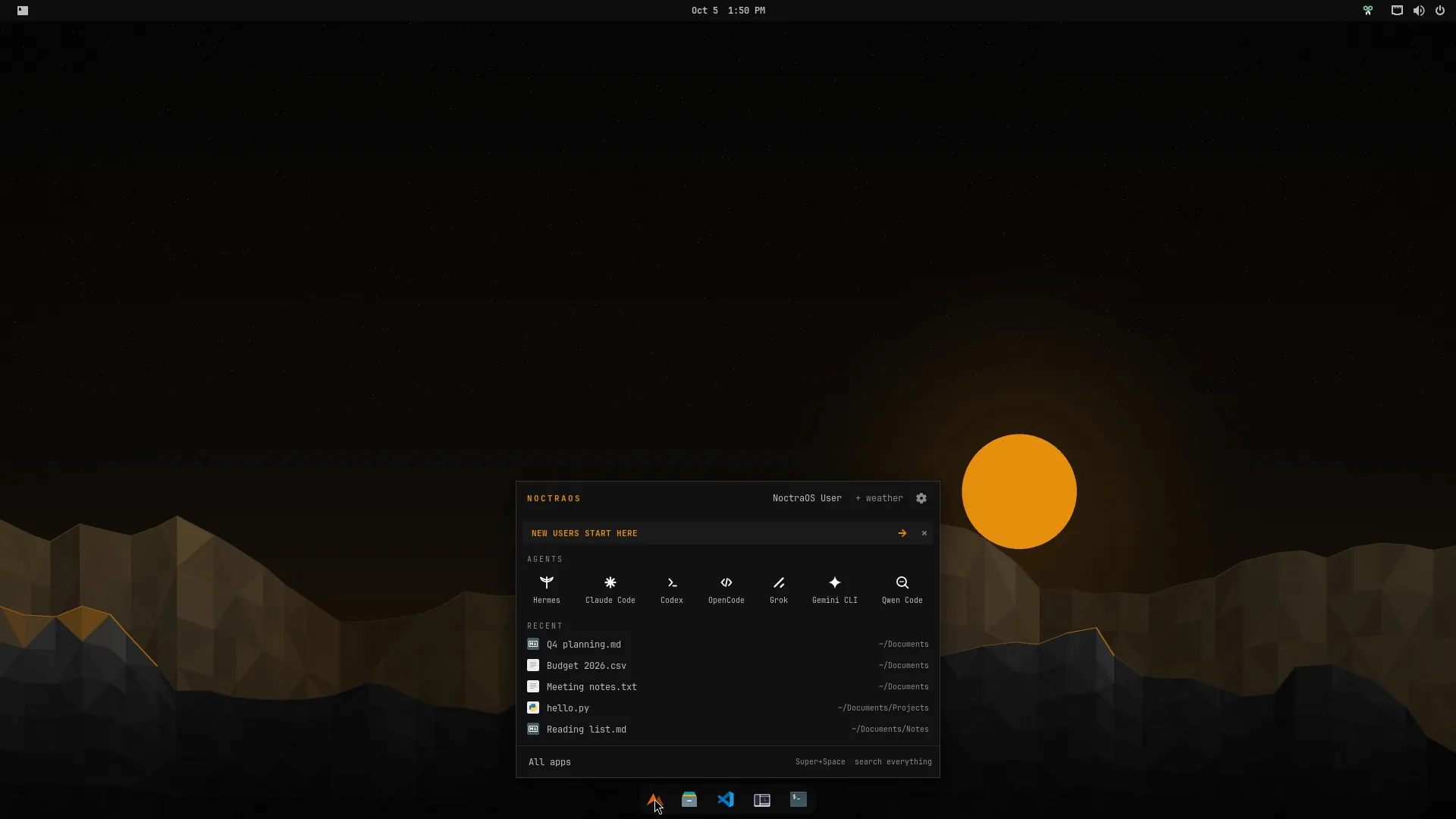
Hermes and six AI coding assistants, such as Claude Code and Codex, sit in the Start panel.

Optional local AI
Noctra detects NVIDIA and AMD graphics cards. If you choose local AI, it explains the driver and GPU tools first, then installs them only after you agree.
Please read this first
Alpha, with the limits in plain sight.
Noctra OS is under active development. The download page and release notes state what has been tested, what remains untested and which flavour is recommended.
Updates stay under your control
Installed systems can use signed, staged updates. You choose when to update, and the NoctraOS layer can roll back to its previous version.
Real-hardware testing is limited
Do not rely on this alpha for work you cannot lose. Back up before you install it on a physical disk.
Start safely in a VM
Use a ready-made virtual machine disk, or run one command on Proxmox. You can inspect the whole system without changing your computer.
Found something broken? That is the most useful thing you can tell us. Open an issue and include the output of noc doctor.
A first look
Calm, dark and familiar.
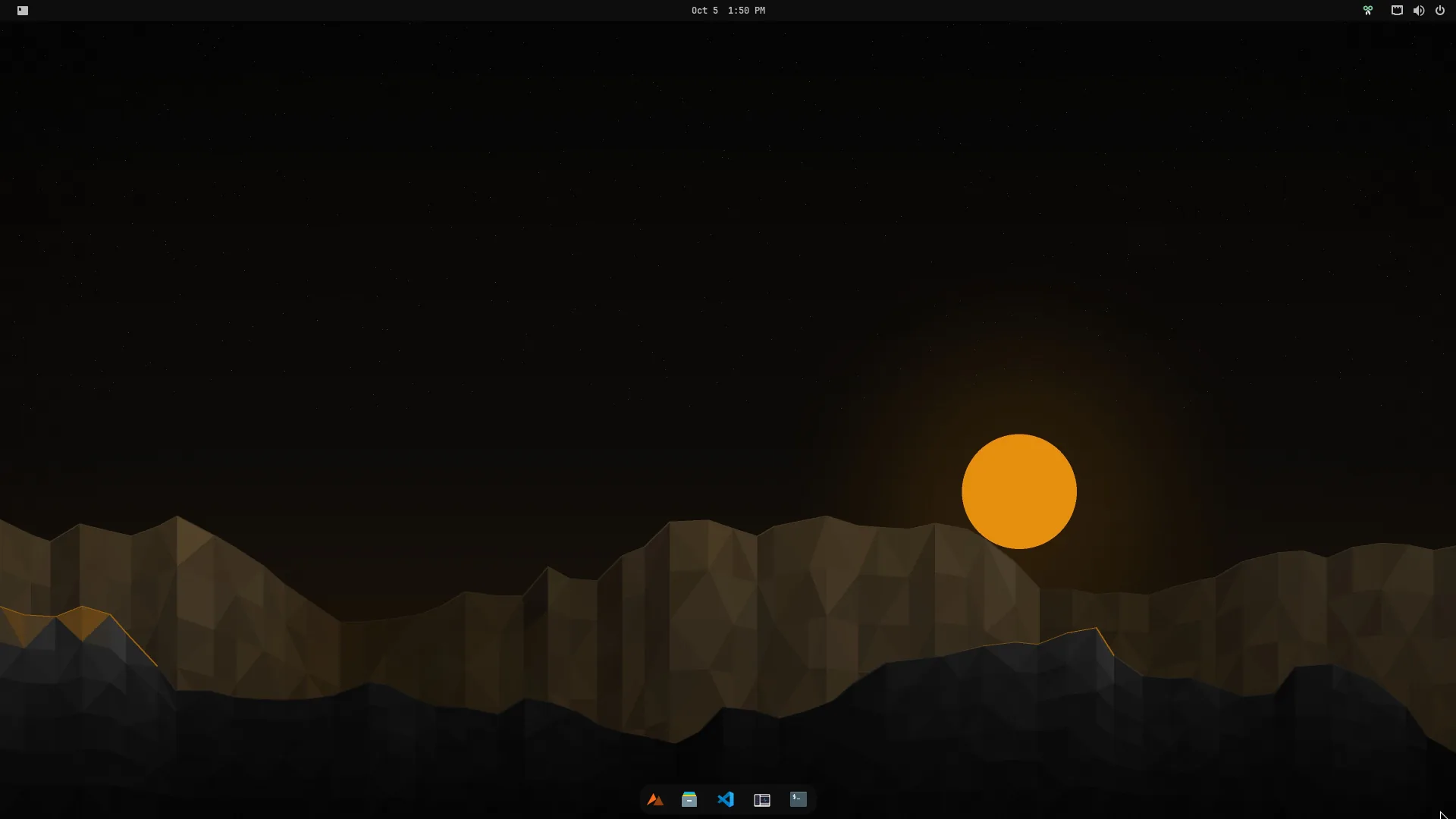
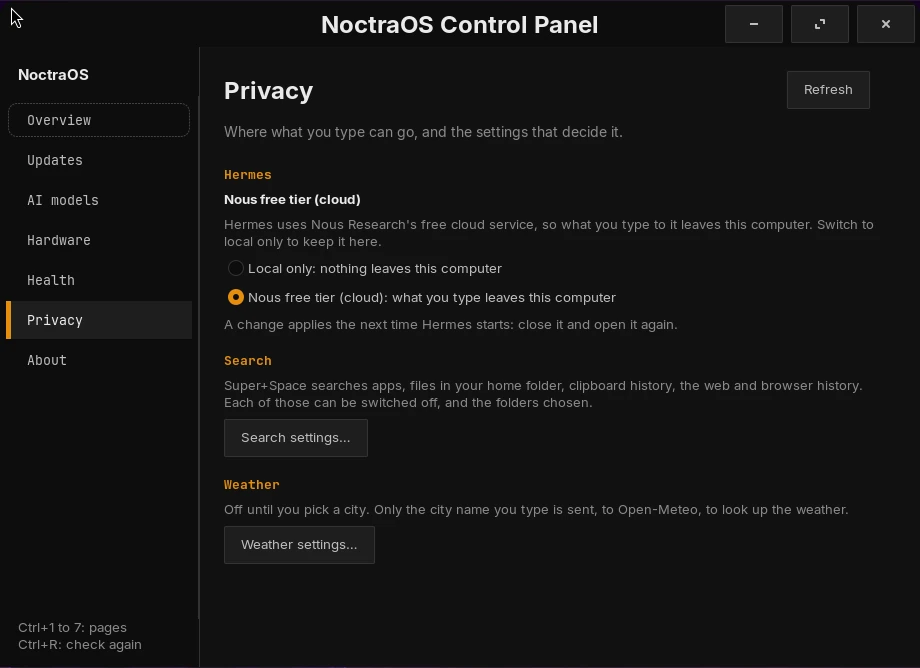
A Start button above a centred dock, a task manager and window buttons. The AI assistants are one click from the Start button, and one Control Panel looks after updates, your apps, Git and GitHub setup, AI models, your graphics card and your privacy choices.
Get started
Ready to try it?
Safest first step: boot the ready-made virtual machine disk and look around. Or write the installer to a USB stick; Noctra then sets itself up on first login, which takes 25 to 40 minutes. It is alpha, so back up first.